

Agents ready for the phone faster
Onboarding paths, product and script updates, and knowledge checks for contact-center teams, with clear reporting for team leads
- Structured onboarding paths
- Quizzes and knowledge checks
- Team-lead dashboards
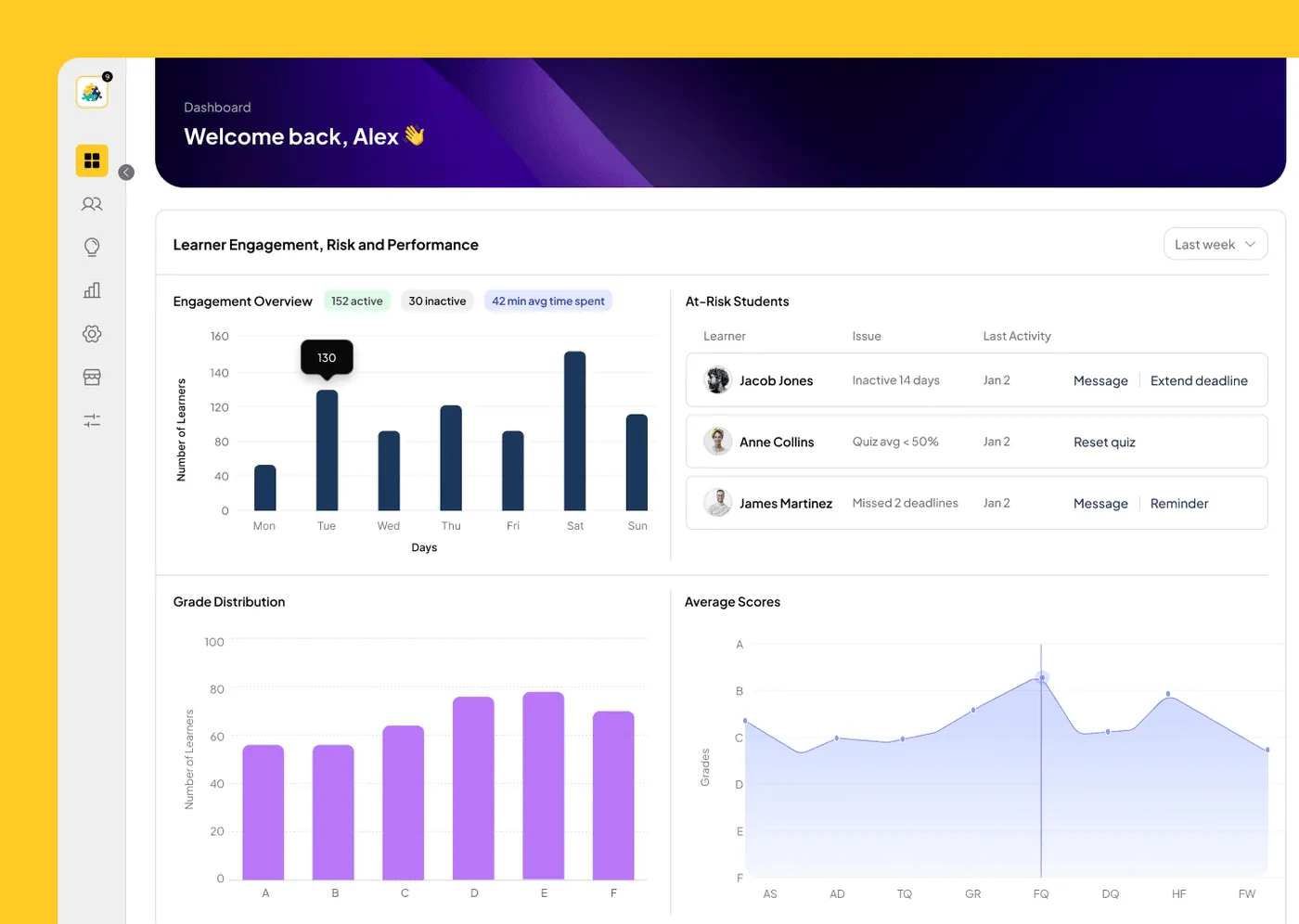
How do call centres onboard agents with Knolyx?
Each intake follows the same onboarding path with a knowledge check at every step and a final assessment before live calls. Agents use a searchable knowledge hub during the shift, team leads follow progress on dashboards for their role, and script or product changes reach every team at once through announcements.
UpdatedBuilt for call centers
Onboarding that scales
Every new agent follows the same path, from product basics to live calls
Knowledge checks
Quizzes and assessments confirm agents know the material before they go live
Team-lead visibility
Dashboards for each role show progress and gaps per team
Agents leaving before their training pays back?
Knolyx shortens the path from hire to first call, and keeps every agent on the current version of the script
- Weeks of classroom induction before an agent takes a first call
- Script and product changes announced in chat and forgotten by Monday
- Team leads unable to see who actually knows the new process
- Quality issues traced back to training nobody can find
- Coaching sessions that happen once and are never reused
Setting up Knolyx for call centers
Four steps from the training you run today to a programme the platform enforces and reports on
Where contact centres use Knolyx
New-agent onboarding
Contact centres hire in waves and need each wave on the phones quickly. A structured path takes new agents from the company and its products to the systems and the call flow, with quizzes at every stage. Team leads see where each person is and who needs more time, instead of finding out at the end of the induction.
Script, offer and process changes
Changes in pricing, offers or procedures reach agents as a short lesson and an announcement at the same time. A quick quiz confirms the change was understood, and the lesson stays searchable in the knowledge hub for the next time a customer asks.
Answers during the shift
Agents search the knowledge hub for the answer they need instead of putting the customer on hold to ask a colleague. Content is organised by product and topic, so the right article is quick to find.
Team-lead coaching
Team leads run live coaching sessions that are recorded automatically and assigned to agents who could not attend. Dashboards for each role show progress and gaps per team, and out-of-office replacements keep approvals moving when a team lead is away.
What to check before choosing a contact-centre LMS
Look first at time to proficiency. The platform should let you build a clear onboarding path with checks at every stage, so you know exactly when an agent is ready for live calls rather than relying on the length of the induction.
Next, check how quickly a change reaches the floor. Scripts, offers and procedures change weekly in many contact centres; you need to update one lesson, notify every team and confirm with a short quiz that the change was understood.
Finally, consider the team lead. Dashboards for each role, recorded coaching sessions and a searchable knowledge hub reduce the time team leads spend repeating the same explanations, and that time is usually the scarcest resource on the floor.
A useful test during a demo: ask the vendor to change one line of a script, publish it and show you how a team lead confirms that every agent has seen it. The answer tells you how the platform will behave on a busy week.
Features that matter here
All of these are part of Knolyx today. See the full list on the features page.
- Just-in-time learningA searchable knowledge hub agents can use during the shift
- AnnouncementsPush script and product changes to every team at once
- GamificationPoints and leaderboards keep teams motivated
- Live sessionsCoaching sessions that are recorded and reused
- Out-of-office replacementsTeam leads assign backups so nothing stalls
Plans for every business
Tiered pricing for everyone from solo course creators to large enterprises. Whether you are starting a community or scaling a full membership program, there is a plan that fits your goals and budget.
Find out why Knolyx is the right fit for your business
Our Learning Experience Platform (LXP) gives you a clear return on investment through robust analytics, an engaging learning experience and a solution that scales for your team and your customers
Questions buyers ask first
Can agents be assessed before they take live calls?
Yes. Quizzes and a final assessment can close the onboarding path, and team leads see the results before moving agents onto live calls.
How do we push a script change to every team?
Update the lesson and send an announcement; every team sees it at once, and a short quiz can confirm it was understood.
Can team leads see progress for their team?
Yes. Dashboards for each role show progress and gaps for every team and every agent.
Can coaching sessions be recorded?
Yes. Live sessions run through the Zoom integration, and the Zoom cloud recording is linked from the session for agents who missed it. The Zoom integration is in the Yellow and Black plans.
Does Knolyx work for outsourced contact centres with several clients?
Yes. Multi-tenant administration gives each client programme its own space, with its own courses and reports, managed from one place.
Questions or need support? Our team is ready to help
Tell us about your team and what you want to achieve. You will hear back from the people who build Knolyx.